
Dial it in once. Print it right every time.
Printer Book keeps the settings you've tuned for every printer, filament and project type. It shows where each number came from, and hands you the best match the next time you print.
Free for 2 printers and 20 profiles. Imports from Bambu Studio, OrcaSlicer, PrusaSlicer and Cura.
Bring the profiles you already have
- Bambu Studio
- OrcaSlicer
- PrusaSlicer
- Cura
Your best settings shouldn't live on a sticky note.
Every printer runs a little differently with each filament and each kind of project. Once you've found settings that work, getting them back should take seconds, not another test print.
Scattered
Forty slicer profiles named petg_final_v3_REAL, spread across two laptops.
Untraceable
Was that 0.98 flow ratio from a calibration print, a forum post, or a guess at 2 a.m.?
Stuck in one head
The operator on printer #3 can't see what you tuned last week, so they start from scratch.
Three steps from tuned to repeatable
Capture or import
Type the values you've proven, or drop in a slicer file. Printer Book reads Bambu Studio, OrcaSlicer, PrusaSlicer and Cura profiles and labels every value as imported.
Save it at the right layer
A retraction fix belongs to the printer model. A fan speed belongs to the material. Save each value where it's true, once, and stop copying it into every profile.
Get the best match
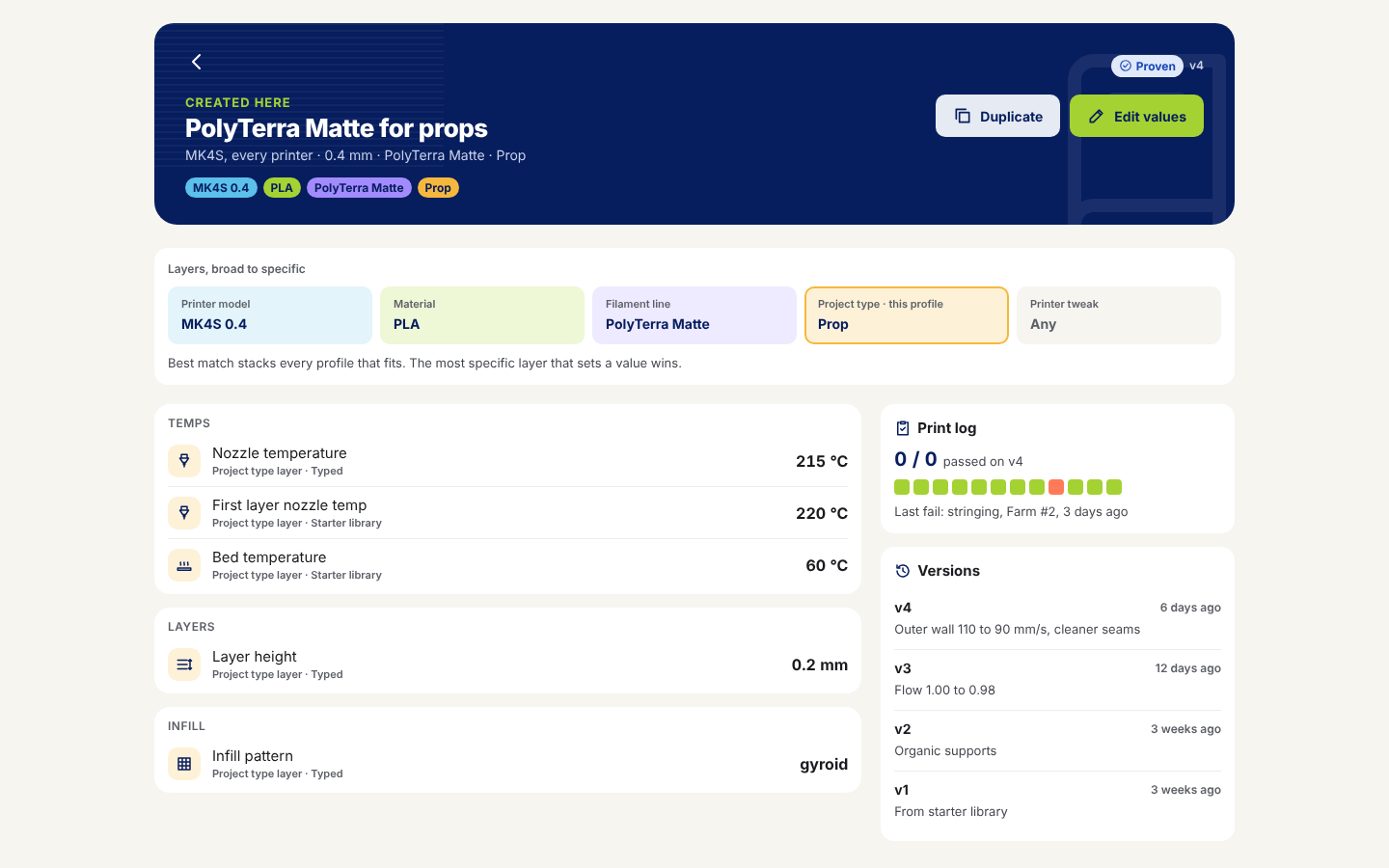
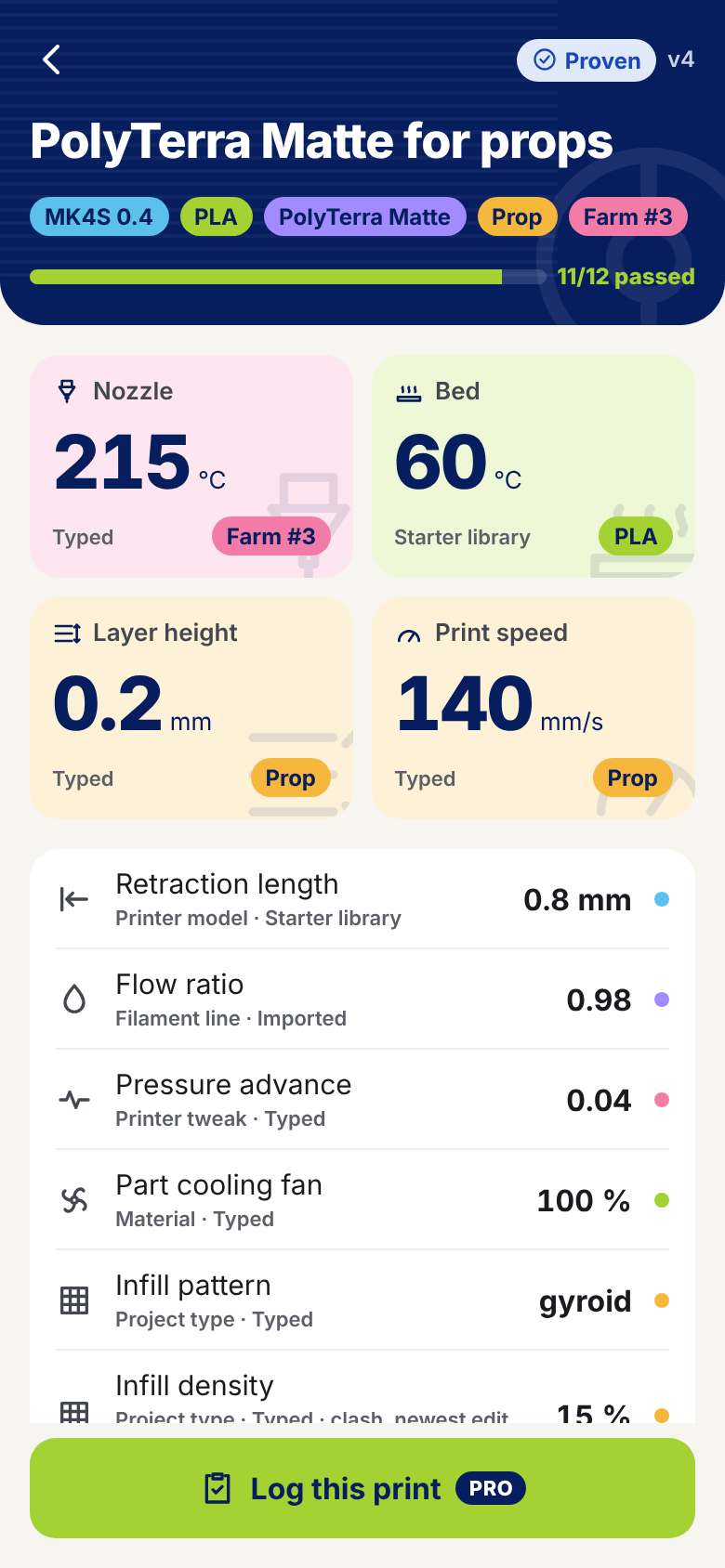
Pick a printer, a spool and what you're making. Printer Book stacks every profile that fits and shows the settings to use, with where each number came from.
Settings that stack, broad to specific
Each layer holds only what it knows. When you print, the most specific layer that sets a value wins, so a tweak for one machine never leaks into the rest of the farm.
Every value carries its source: typed, imported, starter library or copied. Blank stays blank, so nothing gets made up.
Everything about a good print, in one book
Slicer import
Pull settings in from Bambu Studio, OrcaSlicer, PrusaSlicer and Cura instead of retyping them.
A source on every value
Typed, imported, starter library or copied. You always know which numbers you can trust.
Versions you can read
Every save is a version with a note, like "outer wall 110 to 90 mm/s, cleaner seams".
Spool inventory
Track every spool for free. Pro adds weight left, dried date, cost and location.
Print log
Log a pass or fail against the exact profile versions used, and see which settings hold up.
Farms and staff
Add operators who log prints without touching your tuned profiles. One bill covers the team.
Starter library
Common printers, filaments and starting profiles to copy, so your first profile isn't a blank page.
At the printer, offline
Your profiles are on your phone even when the garage Wi-Fi isn't.
Run a farm from the same book
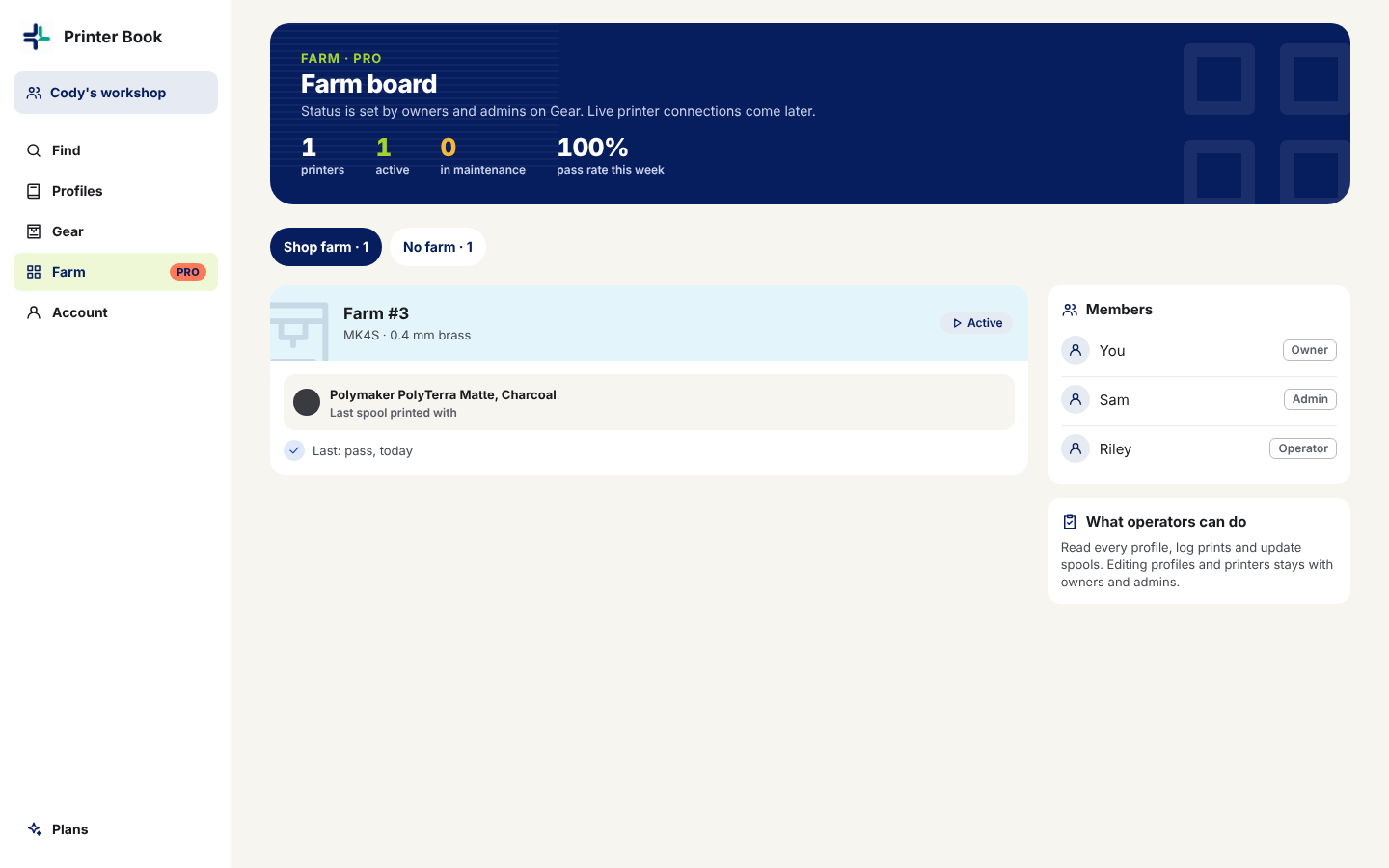
Group printers into farms, see what each machine is running, and give your team the right access.
- Owners, admins, operators and viewers
- Per-printer tweaks for the machine that runs hot
- One Pro plan per workspace, however many staff
Free to start. Pro when you grow.
Downgrading never deletes anything. Items over the free limits just become read-only.
Pro
14-day free trial$69.99a year, or $7.99 a month
Unlimited printers and profiles, layers and tweaks, print logs, staff and spool details.
Compare plansQuestions makers ask
Which printers does it work with?
Any FDM printer. Pick yours from the starter library or add it yourself. Resin printers are planned for a later version.
Does it connect to my printer or slicer?
It imports slicer profile files from Bambu Studio, OrcaSlicer, PrusaSlicer and Cura today. Exporting back to slicers and printer connections come later.
What happens if I stop paying for Pro?
Nothing is deleted. Anything over the free limits becomes read-only until you upgrade again.
Can I share my profiles with the community?
Community sharing is next on the roadmap. For now your printers, filaments and profiles stay private to your workspace.

Stop re-tuning the same print.
Start free on iPhone, Android or the web. Your first 20 profiles are on us.